
Issue:
This article will show you how to reset a password for a user in Screen Connect
Steps to Take:
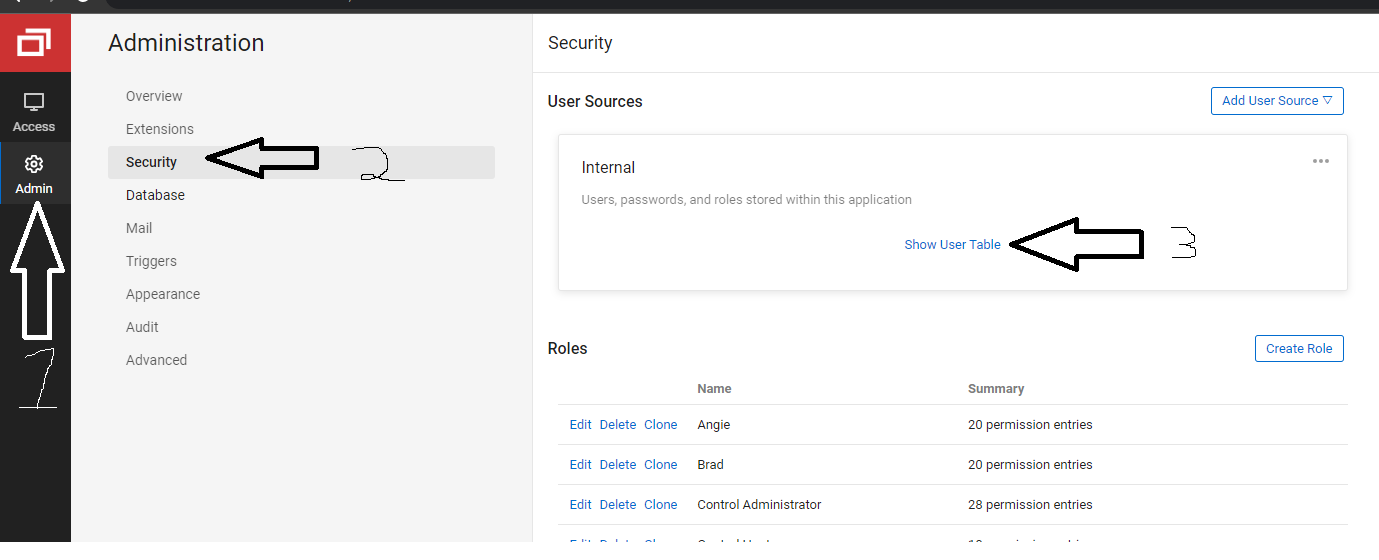
Step 1: Click on Admin-->Security-->Show User Table
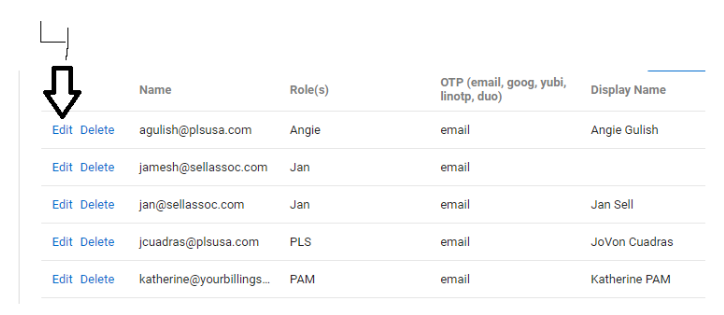
Step 2: Edit User
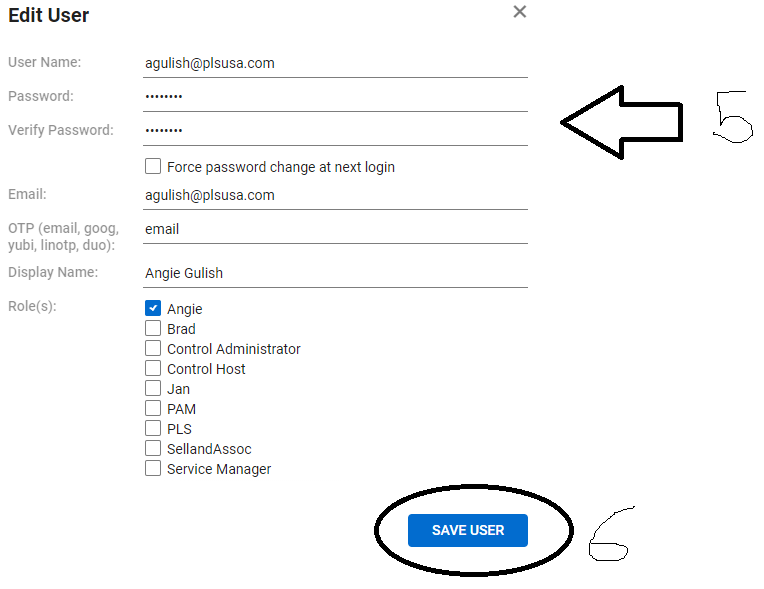
Step 3: Change Password and Save
Conclusion:
You have successfully reset the users password.